

A sales executive in Mumbai checks in at 9:15 AM, but his first client meeting is only at 11:30 AM in Andheri. The attendance app shows his check-in from Bandra. Without proper location verification, the system simply trusts the location sent by his phone.
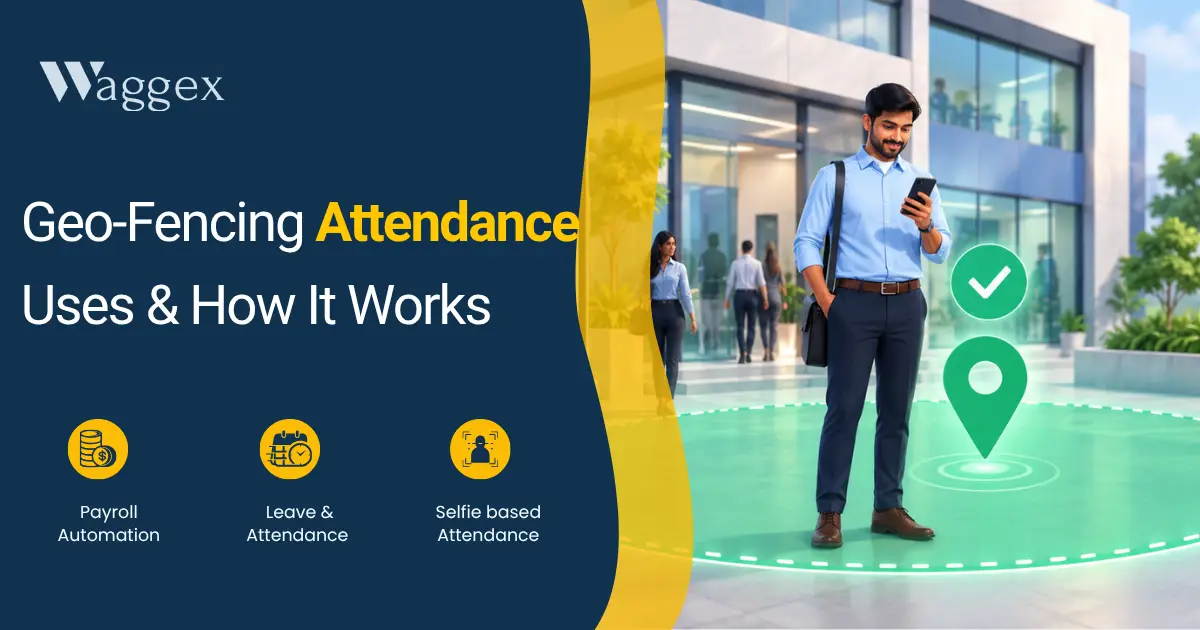
Geo-fencing solves this problem. You can create a virtual boundary around your office, warehouse, or client site. Employees can check in only when they are physically inside that boundary. If they are outside it, the system rejects the check-in.
How Geo-Fencing Actually Works
When an employee checks in through the app, their GPS location is sent to the server. The server then checks whether that location is inside the geo-fence you have set.
The fence can be a simple circle around a location or a custom shape for places like construction sites. If the employee is inside the boundary, the check-in is accepted. If they are outside, it can be rejected or flagged for HR review.
The size of the geo-fence matters. If it’s too small, GPS errors can block genuine check-ins. If it’s too large, employees may be able to check in from nearby locations.
For most offices, a 100–150 metre radius is a practical starting point. Larger locations, such as factories or construction sites, may need a bigger boundary.
One technical roadblock: GPS accuracy degrades inside buildings. Ground-floor lobbies and basement car parks are particularly problematic. If you’re getting false rejections from employees physically at the office, widening the radius slightly is usually the fix.
Device-Side vs Server-Side The Difference That Decides Whether It’s Beatable
This is the part most attendance vendors don’t talk about in their marketing.
If geo-fence validation happens on the employee’s phone, it can be defeated with mock location apps freely available on Android. These can take just a few minutes to set up. The phone reports whatever location the employee chooses, and the attendance app reads it as real.
If validation happens on the server, the phone only sends the location data. The server checks it against signals the employee can’t directly control, such as device information, network signals, and whether location spoofing is detected. An employee can change the GPS location on their phone, but they can’t change what the server independently validates.
When comparing attendance tools, ask one simple question: “Where does the geo-fence check happen on the device or on your server?” If the answer is unclear or it’s done only on the device, the geo-fence may be easier to bypass
Waggex’s geo-location attendance does the verification server-side. The employee’s phone sends the coordinates; Waggex’s server decides if the location is genuine. The geo-fence boundary is configured in the admin panel multiple boundaries for multiple locations, each with its own radius.
Where Geo-Fencing Makes Sense Real Use Cases
| Construction and Infrastructure Projects Scenario: A 60-person construction crew spread across a large site in Hyderabad. Foremen managing teams at different parts of the site. No fixed entrance point where a biometric device makes sense. Why geo-fence helps: A geo-fence drawn around the full site perimeter means anyone on the site can check in, and anyone trying to check in from elsewhere (home, a vendor’s office, anywhere else) gets blocked. The polygon fence suits irregular site shapes better than a circular radius. |
| Retail Chain with Multiple Outlets Scenario: A clothing brand with 8 stores across Chennai. Each store has 5–7 staff. The company doesn’t want to buy and maintain a biometric machine at every outlet. Why geo-fence helps: Each store gets its own geo-fence. Staff check in via app and the system validates they’re at their assigned store. A manager can see at a glance if everyone’s in without calling each location. |
| Field Sales Teams Scenario: A pharma company with medical representatives visiting doctors across different cities. The company wants attendance captured but can’t define one fixed location per rep. Why geo-fence helps: Geo-fences are set up around client offices or zones. Reps check in when they arrive at a client site and the fence confirms they’re actually there. Optionally combined with live location tracking for managers who need real-time visibility. |
| Remote-First Companies with Co-Working Memberships Scenario: A 25-person startup using WeWork or a co-working space. Employees are supposed to be at the office 3 days a week but the company has no way to verify it. Why geo-fence helps: Geo-fence around the co-working space. On designated in-office days, employees check in via the app and the fence confirms they’re there. Simpler and cheaper than paying for a biometric terminal at a space the company doesn’t own. |
When Geo-Fencing Doesn’t Work Be Honest About the Limits
Fully remote teams with no designated work location. If your employees work from home and there’s no expectation that they’re in a specific physical space, geo-fencing has nothing useful to enforce. Time-based check-ins or task completion matter more than location here.
Large outdoor work areas with poor GPS signal. Dense urban canyons, heavily forested sites, and areas with significant GPS interference will generate false failures. For these environments, biometric hardware or a supervisor-managed check-in is more reliable.
When the fence radius has to be so large it stops being meaningful. If the nearest verified location is 2 km from where employees actually work, the fence covering that gap isn’t verifying much. Geo-fencing only works when you can define a reasonably tight boundary around a real work location.
Geo-Fencing Combined With Face Recognition What Changes
Geo-fencing confirms where someone checked in. It doesn’t confirm who did it. An employee could hand their phone to a colleague who’s already at the location, and the colleague checks in on their behalf.
Combining geo-fencing with face recognition closes that gap. The system requires a selfie that matches the employee’s registered photo (with liveness detection), and the check-in must happen within the designated boundary. Both conditions have to pass. It’s significantly harder to fake the person checking in has to be both at the right location and be the right person.
In Waggex, you can use geo-fencing alongside FaceLens the face recognition feature for exactly this. Both run server-side, so neither check can be spoofed from the device. For companies where attendance fraud is a real concern (large field teams, high-value attendance incentives, compliance-sensitive industries), this combination is the most reliable option short of physical biometric hardware.
Setting Up Geo-Fencing What You Actually Need to Configure
Getting a geo-fence working in practice takes about 15 minutes if the system is set up right. The configuration decisions are:
Centre point and radius. Pick the coordinates of your location (most systems let you search by address or drop a pin on a map) and set the radius. Start at 100 metres and adjust based on how the team’s check-ins behave in the first week.
What happens on a failed check-in. Does the app reject it immediately and tell the employee? Does it flag it for HR review? Does it allow the employee to submit a manual regularisation request with a photo as proof? Each approach has trade-offs rejection is strict but doesn’t allow for GPS error. Flag and review is more flexible but creates HR work.
Multiple locations for the same employee. A team leader who splits time between HQ and a branch office needs both locations in the system. Most tools handle this with multiple fence configurations per employee or per team.
Client site attendance for field staff. If your team visits client locations, you can either pre-configure a fence for each recurring client site, or allow check-in anywhere with location tagging (no fence, but location is captured and visible to managers). The latter is less restrictive but gives managers visibility into where the team actually is.