
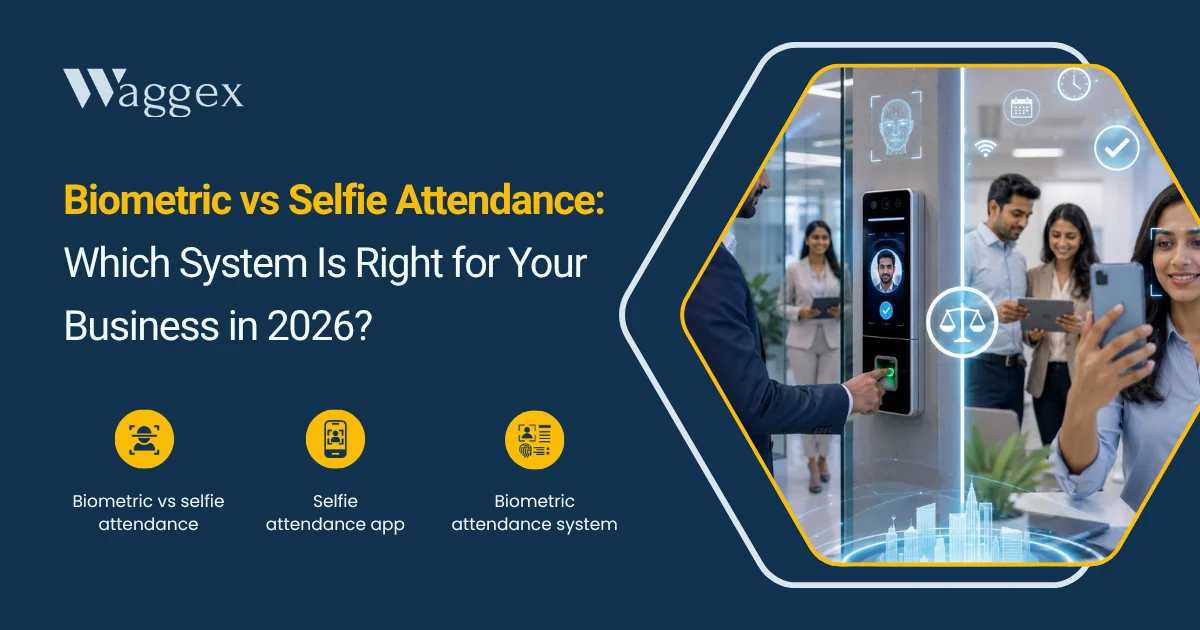
Walk into almost any Indian office built before 2020 and you’ll find a fingerprint machine mounted near the entrance, a small queue forming at 9:15 every morning, someone repeatedly pressing their thumb because it’s not reading, we have all been there.
It’s become so common it’s practically furniture.
Biometric attendance solved a real problem when it arrived. No more registers, no more proxy attendance, no more arguing about whether someone came in or not. For a single-office business with 50 people all walking in through the same door, it worked well enough.
But the way Indian businesses work has changed. A third of your team might work from home two days a week. Your field sales team is spread across three cities. Your delivery staff never come to the office at all. And your factory floor workers have grease on their hands by 8 AM. A box on the wall doesn’t cover any of this and buying a device for every location you operate from adds up fast.
Selfie attendance where the employee’s own phone camera becomes the attendance device has moved from a workaround to a proper solution. In 2026, with 4G and 5G coverage across most of India and virtually every employee carrying a capable smartphone, it’s worth asking whether the box on the wall still earns its place.
This article gives you a practical and honest comparison of both.
Biometric Attendance: What It Actually Involves
A biometric attendance machine reads a unique physical identifier, most commonly a fingerprint, though face recognition devices are now common and logs it against an employee record. The device sits at a fixed location: office entrance, factory gate, warehouse. Employees tap in, the machine verifies their identity in under a second, and the record is created.
When it works cleanly, it’s genuinely reliable. The fingerprint cannot be shared like an ID card. The face cannot be proxied by a colleague. The machine logs the exact time. For a business running two shifts in a single factory location, a biometric device is still a practical, cost-effective solution.
The complications start when the real world interferes which it does more often than the product brochure suggests.
The Problems That Don’t Show Up in Demos
- Fingerprint failures are more common than expected. Dry skin, wet hands, cuts, calluses, grease, dust any of these can cause a sensor to reject a valid fingerprint. Workers in manufacturing, construction, agriculture, and industrial settings deal with this daily. A leading Indian telecom operator replaced 650 fingerprint systems with facial recognition after persistent scan failures across their workforce.
- Morning queues are a real operational problem. In an office with 100 or more employees and one or two devices at the entrance, the 9–9:30 AM window creates a bottleneck. Employees wait. Some give up and get marked late. Meetings are delayed. This is a regular complaint in mid-sized Indian offices with high-traffic entry points.
- Each location needs its own hardware. If you have an office in Delhi, a warehouse in Noida, and a branch in Pune, that’s at least three devices, three installations, three maintenance contracts. A decent fingerprint device starts at around ₹4,500. A face recognition machine runs ₹18,000 to ₹28,000. Annual Maintenance Contracts (AMC) typically add 8 to 12 percent of the device cost every year. The hardware bill compounds as you grow.
- Field employees simply can’t use it. A delivery executive, a field sales representative, a service technician visiting client sites none of them can walk to a biometric device to mark attendance. For these employees, the machine doesn’t solve the attendance problem at all. You end up running a parallel system biometric for office staff, something else (often WhatsApp) for field staff which defeats the purpose of a unified attendance system.
- Shared touch surface and hygiene. During COVID, the Delhi government and several state administrations suspended fingerprint biometric attendance systems specifically because of the infection risk from a shared touch surface. Even post-pandemic, the hygiene concern persists in healthcare, food processing, and densely staffed environments where employees are understandably reluctant to share a fingerprint scanner with 200 colleagues.
- Biometric data carries legal obligations. Under India’s Digital Personal Data Protection Act 2023, biometric data (fingerprints, iris scans, facial templates stored on a device) is sensitive personal data. Employers must implement adequate security measures, limit retention to what’s necessary, and allow employees to request deletion. The compliance overhead is real, especially for small businesses without a dedicated legal or IT function.
Selfie Attendance: How It Works and Why It’s More Than Just a Selfie
The name makes it sound casual. It isn’t.
Selfie attendance, done properly, is a two-factor verification system. When an employee checks in, the app captures their face via the front camera and matches it against their registered photo in real time. Simultaneously, it reads their GPS coordinates and verifies their location against approved zones. Both checks happen before the attendance record is accepted on a live server, not just on the device.
The key word there is live server. With India’s 4G and 5G network coverage now extending to most urban, semi-urban, and many rural areas where field teams operate, every check-in is validated in real time against Waggex’s servers. The GPS coordinates, the face match, the timestamp, and the device identity are all cross-checked simultaneously. A mock location app can manipulate the phone’s GPS output; it cannot manipulate a server-side verification that independently validates the location data. That’s why the network requirement isn’t a limitation. It’s the security layer.
What Waggex’s FaceLens Actually Does
FaceLens is Waggex’s selfie attendance feature and the simplest way to explain it is this: your employee’s smartphone camera becomes the biometric device. No hardware to purchase. No installation. No wiring. No maintenance contract. No device that breaks down on a Monday morning when 80 people are trying to get into the building.
Here’s how it works in practice. When a new employee joins, HR registers their face in the Waggex system a simple one-time setup that takes about two minutes. From then on, that employee opens the Waggex app, taps check-in, and takes a selfie. The app sends the image to Waggex’s server, which runs the face comparison against the registered photo. At the same time, the GPS coordinates are checked against the employee’s approved location zone. If both match, the check-in goes through. If either doesn’t have a wrong face, wrong location, or a detected mock GPS it’s blocked.
The check-in record, once verified, lands directly in the employee’s attendance history which is the same system that calculates their monthly working days, feeds into leave balances, and drives the payroll run. There’s no export. No import. No someone-manually-enters-this-into-payroll step. The selfie attendance and the salary calculation are part of the same platform.
| What this means for a field team: A field sales executive starting his day from his first distributor in Rohtak can check in from exactly where he is face verified, GPS confirmed, attendance recorded. No commute to the office first. No WhatsApp message to the manager. His attendance is in the system before he has finished his first meeting. |
The Hardware Cost Difference Is Significant
Let’s put actual numbers on this. A basic fingerprint device costs around ₹4,500. A good face recognition machine runs ₹18,000 to ₹28,000. For a business with one main office and two branch locations, you’re looking at ₹35,000 to ₹85,000 in hardware upfront before installation costs, before AMC contracts that run 8–12% of device cost every year, and before the IT time spent configuring each machine and integrating it with your HR software.
Waggex’s selfie attendance has no hardware cost. The app runs on the smartphones your employees already own. As your team grows from 20 to 50 to 100 employees, nothing changes. They download the app, get registered, and they’re set. You don’t buy anything extra.
Over three years, a 40-person business with two locations could easily spend ₹60,000–₹1,00,000 on biometric hardware and maintenance. That same business on Waggex pays ₹2 per employee per day . The numbers aren’t close.
Biometric vs Selfie Attendance: Side-by-Side
Here’s the direct comparison across the factors that matter for a real Indian business in 2026.
| Biometric Device | Selfie Attendance (Waggex FaceLens) | |
|---|---|---|
| Hardware required | Yes ₹4,500 to ₹28,000 per device | No uses employee’s smartphone |
| Installation needed | Yes wiring, mounting, setup | No download app, done |
| Works for field employees | No fixed location only | Yes from any location |
| Works for remote / WFH | No | Yes |
| Multi-location businesses | Buy one device per site | One app, all locations |
| Fingerprint failures | Yes dry skin, gloves, cuts, dirt | Not applicable |
| Queue at entry / exit | Yes common in 50+ employee offices | No each person uses own phone |
| Hygiene concerns | Shared touch surface | No shared surface |
| Proxy attendance prevention | Partial card sharing possible | Face match blocks proxy |
| GPS location verification | No device is fixed | Yes GPS + face in one check-in |
| Mock location protection | N/A | Yes server-side blocking |
| Payroll integration | Depends on vendor / software | Direct same platform as payroll |
| Maintenance / AMC cost | 8–12% of device cost annually | None app updates automatically |
| Scales as team grows | Buy more hardware | Nothing to buy |
| Setup time | Days to weeks | Same day |
When Does Biometric Still Make Sense?
We want to be fair here biometric devices are not obsolete, and there are situations where they’re still the right choice.
- High-security facilities. Data centres, government offices, pharmaceutical manufacturing, defence contractors anywhere that physical access control is as important as attendance tracking. Biometric devices integrated with door locks provide access control that a phone-based system doesn’t replicate.
- Large single-location offices with no field staff. A BPO with 300 people all working from one building, no remote work, stable headcount and a biometric device at the entrance is simple and reliable for this setup. The fingerprint failure rate across a homogeneous desk workforce is lower than in a field or industrial environment.
- Environments where employees can’t carry phones. Some factory floors, clean rooms, and secure facilities don’t allow personal phones during work hours. Biometric is the practical option here.
Outside these specific situations, the case for buying new biometric hardware in 2026 is harder to make. The flexibility gap field employees, remote work, multiple locations is too wide. And for businesses that already have ageing biometric devices with integration problems, selfie attendance is a natural upgrade rather than a replacement that requires parallel systems to run.
Which One Is Right for Your Business? Use This to Decide
Run your situation through this table.
| Your situation | Biometric still works | Selfie attendance better fit |
|---|---|---|
| Single fixed office, all staff on-site | Yes, manageable | Also works fine |
| Any field, delivery, or remote employees | No can’t work | Yes essential |
| Multiple offices or sites | Expensive (per site) | Yes one app |
| Manufacturing with gloves or dirty hands | Fingerprint fails | Yes |
| Concern about device hygiene / shared surfaces | Ongoing issue | Yes no shared touch |
| Frequent morning queues at entry | Problem persists | Yes no queues |
| Want payroll linked to attendance automatically | Depends on setup | Yes direct in Waggex |
| Team growing quickly | Keep buying hardware | Scale freely |
| Budget-conscious startup or SME | High upfront cost | Yes no hardware spend |
If most of your “Yes” marks are in the right column, the case for keeping or buying biometric hardware is thin even if you’ve used it for years.
How to Implement Selfie Attendance with Waggex
One of the most common hesitations we hear: “It sounds good but setting it up sounds complicated.” It isn’t. Here’s what the actual process looks like.
Step 1 Set Up Your Location Zones
In your Waggex dashboard, you define the approved locations where employees are allowed to check in your office address, a client site, a warehouse, a project location. You set the geofence radius (how close the employee needs to be). This takes about 10 minutes for most businesses, and you can add or modify locations any time.
Step 2 Register Employee Faces
HR opens each employee’s profile in Waggex and captures their face photo either through the app or by uploading an existing photo. This is the reference image that FaceLens matches against at every check-in. For a 30-person team, this takes under an hour. For new joiners, it’s part of the onboarding process done the same day they’re added to the system.
Step 3 Employees Download the App
Employees download the Waggex Staff Attendance App on their Android phone. They log in with the credentials HR creates for them. That’s it. The first time they use it, the app asks for camera and location permissions standard steps that take about 30 seconds.
Step 4 First Check-in
The employee opens the app, taps check-in, and takes a selfie. The face is matched, the GPS is verified, and the attendance record is created. They get confirmation. The manager sees it on the dashboard. The whole thing takes under 15 seconds.
Step 5 Payroll Runs Automatically
At month-end, Waggex has a complete attendance record for every employee working days, late marks, leaves, overtime. This feeds directly into the payroll module. PF, ESI, TDS, and Professional Tax are calculated on the correct working-days data. Payslips are generated and sent to employees through the app. No manual reconciliation, no spreadsheet in between.
| How long does the full setup take? Most businesses are fully set up locations configured, employees registered, first check-ins done within the same day they sign up. There’s no implementation project, no consultant to hire, no training programme to run. If your team can use WhatsApp, they can use the Waggex attendance app. |
What If You Already Have a Biometric System?
This is a practical question a lot of businesses ask. You bought the devices three years ago, they’re installed, and they mostly work. Do you need to rip them out?
Not necessarily and not immediately. A few scenarios:
- Your biometric covers office staff and works reliably but you also have field employees. The practical solution is to run selfie attendance for field staff in Waggex and keep the biometric for office staff. Both sets of attendance data eventually need to reach the same payroll run. With Waggex, the field team’s attendance is already in the system. Whether you bridge the biometric data or gradually transition office staff to the app as well depends on how much friction the biometric is causing.
- Your biometric devices are ageing and causing regular issues. Fingerprint failures, sync problems with your HR software, expired AMC these are the natural transition points. Rather than replacing like-for-like with new hardware, it’s worth testing whether selfie attendance covers your needs before spending again.
- You’re opening a new location. Before buying another device, try Waggex’s selfie attendance for that site first. You’ll have a direct comparison same business, two systems and you can make the hardware decision with real data instead of assumptions.
The Bottom Line
Biometric attendance was the right answer for a specific era of how Indian businesses operated fixed offices, consistent workforces, everyone in one place. That era is over for most businesses.
In 2026, a significant portion of most Indian businesses’ workforce is distributed across locations, working from home, in the field, or some combination of all three. A system that only works when you’re standing in front of a specific machine at a specific address can’t cover this. And even for the parts of your workforce that are office-based, the hardware cost, maintenance overhead, and fingerprint failure rate are problems you’re managing indefinitely.
Selfie attendance through Waggex’s FaceLens doesn’t replace biometric attendance by being simpler or cheaper though it is both. It replaces it by being genuinely more suitable for how most Indian businesses actually operate today. Face verification, GPS location confirmation, real-time server-side validation, and direct payroll integration all running on the phone your employee is already carrying.
If you’re still running a fingerprint machine and wondering whether it’s time to change, the most useful thing is a side-by-side test. Waggex’s free trial gives you full access to selfie attendance, FaceLens, GPS check-in, and the complete HRMS with no credit card requirement and complete setup in a day. Run it alongside your existing system for one month and see which one your team actually prefers using.