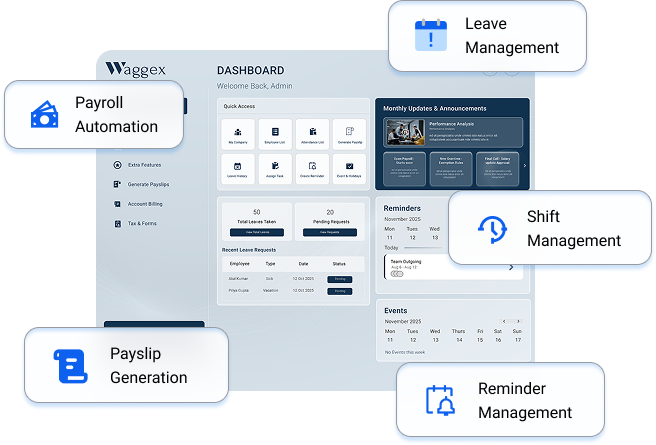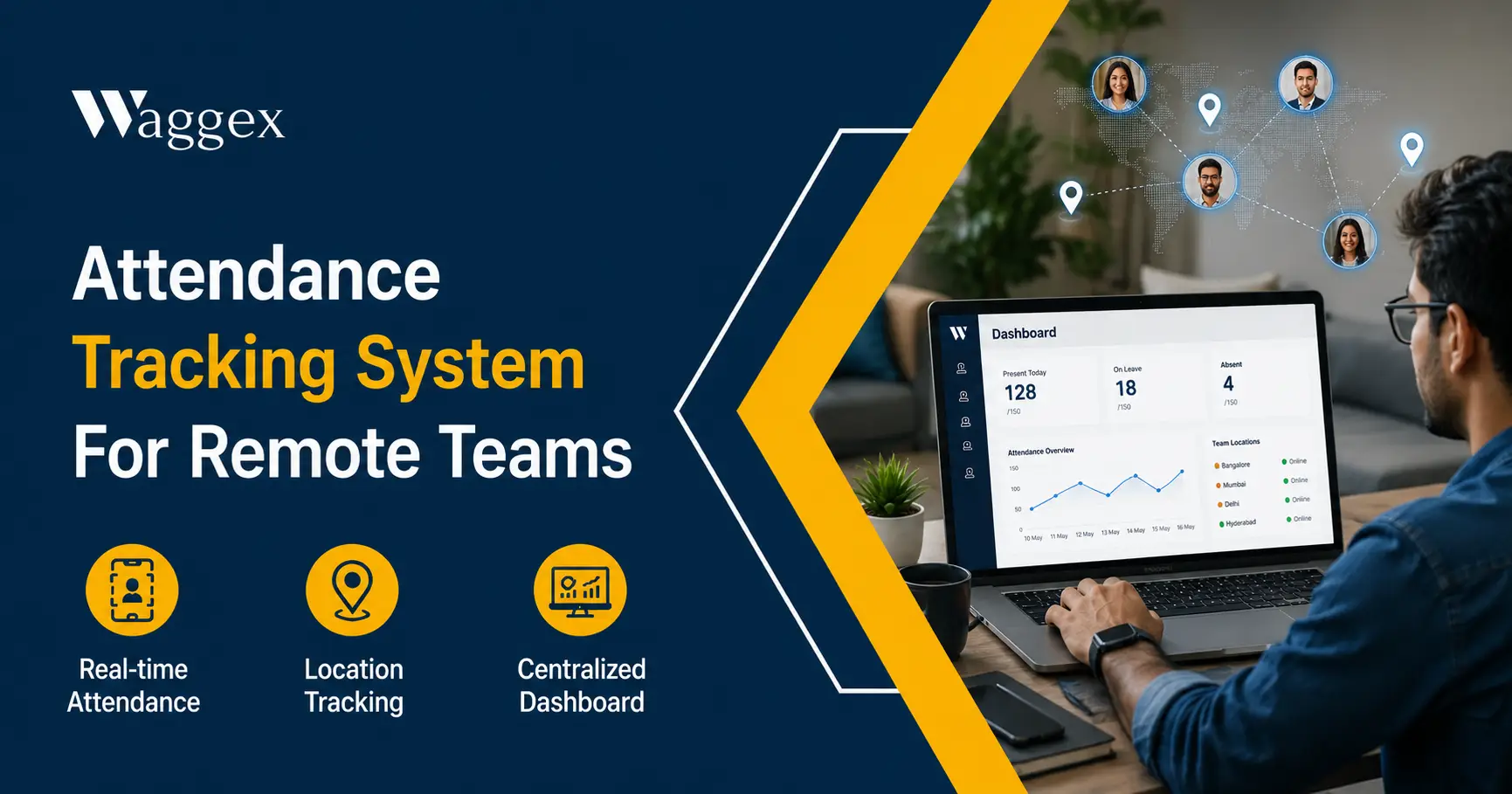
Managing attendance for employees you can’t see is a different kind of challenge. When everyone’s in the same office, you know who’s there. When your team is spread across cities working from home, visiting clients, running deliveries, doing site inspections the old methods stop working almost immediately.
A register at the office is useless for someone who never comes to the office. A WhatsApp message saying “started work” is not attendance data. And trusting that everyone is where they say they are is fine until it isn’t and by the time you find out it isn’t, the damage is already in the payroll.
This article covers what remote and field attendance tracking actually needs to do, why most current approaches fall short, and how Waggex handles this with location-based attendance, selfie verification, and a direct connection to payroll so the whole system works from check-in to salary without manual steps in between.
The Real Problem With Remote Attendance
Let’s be specific about what goes wrong, because “we can’t track remote workers” isn’t one problem, it’s actually five or six different problems happening at the same time.
You know where the phone is. You don’t know who’s holding it.
A plain GPS check-in tells you the device’s location. That’s it. If a field sales rep hands their phone to a colleague who’s already at the client’s office, the GPS confirms the right location with the wrong person. This is the oldest trick in field attendance, and most GPS-only systems have no way to catch it.
GPS can be faked in about 30 seconds.
Any Android phone user can download a free mock location app and set their GPS to show any address they want. They could be sitting at home while the system shows them at a client’s site in another part of the city. If the attendance app trusts what the phone reports without checking independently, it will be fooled every single time.
WhatsApp check-ins are not a system.
Asking employees to send a “reached” message, a location pin, or a photo on WhatsApp is the most common workaround and it works until the team grows past 10 people. After that, someone has to compile those messages into a record, cross-check them, enter them into a payroll calculation, and hope nothing got missed. That’s a part-time job masquerading as a solution.
Attendance and payroll are disconnected.
Even when attendance is tracked reasonably well, there’s usually a manual step where someone exports data from the attendance system and enters it into payroll. That transfer is where errors enter. An approved leave that didn’t get captured. An LOP that was missed. An overtime day that wasn’t counted. We wrote about this gap in detail in our piece on Best Payroll with Attendance System in India.
No visibility during the working day.
A check-in at 9 AM tells you someone started their day. It doesn’t tell you where they are at 2 PM. For a manager with 15 field employees across a city, there’s no way to know at any given moment who is where, whether anyone is stuck, or whether visits are actually happening.
What a Remote Attendance System Actually Needs to Do
Before looking at any tool, here’s what the system genuinely needs to solve:
- Confirm who the person is, not just where the phone is. Identity and location both need to be verified at the same time, in the same check-in.
- Verify location independently not trust the phone. The verification should happen on a server, not on the device. A device can be manipulated. A server cross-check cannot.
- Give managers live visibility, not just check-in records. Knowing where someone was at 9 AM is useful. Knowing where they are at 2 PM is more useful.
- Connect attendance directly to payroll. No manual export. No reconciliation step. Check-in data should flow into salary calculation automatically.
- Work on a standard phone. Not everyone on a remote team carries a high-end device. The app needs to work reliably on the phones they already have.
- Be simple enough that employees actually use it. If checking in takes more than 30 seconds or requires navigating through multiple screens, adoption will be a problem.
How Waggex Handles Remote Attendance
We built Waggex specifically to solve the problems described above not with workarounds, but with a connected system where location tracking, identity verification, attendance, and payroll all work together from the start.
- GPS Location Attendance Verified on the Server, Not the Phone
When a remote or field employee checks in using Waggex’s Geo-Location Attendance, the GPS coordinates don’t just get recorded they get verified. The check-in is sent to our servers over India’s 4G/5G network, and our system independently cross-checks the location against the device’s IP address, network signals, and whether a mock location app is active on the device.
What this means practically: a fake GPS app can fool the phone’s own GPS output. It cannot fool a server that’s checking location from multiple independent sources at the same time. If the location looks wrong, the check-in is blocked not flagged for someone to review later. Blocked. Before it enters the attendance record.
You can also set geo-fenced zones approved locations where employees are allowed to check in. A delivery executive can only check in from verified client sites. A sales rep can only mark attendance from within a defined territory. Outside those zones, check-in simply doesn’t go through.
| Why server-side verification matters: Most GPS attendance apps trust what the phone reports. Waggex takes it one step further and verifies independently using backend validation. This single difference is what separates a system that catches location fraud from one that records it without knowing. |
- FaceLens Selfie Attendance Knowing It’s Actually the Right Person
Location tells you where the phone is. FaceLens tells you who’s holding it.
When an employee checks in, the app captures a live selfie through the front camera. That image is sent to our server, where it’s matched against the employee’s registered face photo in real time. If it matches, the check-in is confirmed. If it doesn’t, it’s rejected. The whole thing takes one to two seconds.
Key point: the face matching happens on our server, not on the employee’s phone. This matters because a check that runs on the employee’s device can potentially be bypassed by someone who knows how to modify app data. A server-side check has nothing on the device to interfere with. The phone just takes the photo and sends it the decision is made somewhere the employee has no access to.
The system also has liveness detection it checks that a real person is in front of the camera, not a printed photo of someone or a picture on another screen. So holding up a colleague’s photo to the camera won’t work either.
No biometric hardware needed. No machine to install at every site. Every employee already carries a front camera in their pocket that’s the attendance device. For remote teams working from different cities, this is the practical solution that a fixed biometric machine simply cannot be.
- Live Location Tracking See Where Your Team Is, Right Now
Beyond the check-in and check-out, Live Location Tracking gives managers a live map showing where every field employee currently is throughout the working day.
This isn’t about watching every step someone takes. It’s about having the information when you actually need it when a client calls asking where the technician is, when you need to reassign a visit because someone is running late, when an employee isn’t responding and you need to know if they’re okay. The tracking is active only during work hours between check-in and check-out not outside of that.
Managers can also see route history where an employee was earlier in the day, how long they spent at each stop, and their movement through the working hours. This is particularly useful for verifying travel claims, understanding why a delivery was late, or confirming that site visits actually happened.
- Attendance Management All Remote Methods in One Dashboard
Waggex’s Attendance Management brings together check-ins from GPS, FaceLens, and web (for employees who are purely desk-based) into a single dashboard. A manager overseeing a hybrid team some employees in office, some remote, some in the field sees everyone’s attendance status in one place, without switching between systems.
Attendance rules late marks, grace periods, early departure thresholds apply automatically based on the employee’s shift or schedule. If someone checks in 20 minutes late, the late mark appears automatically. There’s no supervisor manually reporting it to HR, no end-of-month reconstruction of who was on time and who wasn’t.
- Leave Management Connected to Attendance
When a remote employee applies for leave through Waggex’s Leave Management, the approval updates their attendance record automatically. If it’s leave without pay, the LOP deduction is calculated and fed into payroll without anyone doing a manual calculation. The leave system and attendance system share the same data there’s no reconciliation step before salary day.
We covered how this pipeline works in more detail in our explainer on What Is an Employee Leave Management System? worth reading if leave management is currently a separate manual process for your team.
- Payroll Connected to Attendance No Manual Transfer
Every verified check-in in Waggex flows directly into the employee’s attendance record, which feeds directly into payroll. PF, ESI, TDS, and Professional Tax all calculate from the same verified data. There’s no export file, no import step, no someone-entering-numbers-before-the-salary-run.
For remote teams especially, this matters more than it might seem. When attendance data is spread across WhatsApp messages, GPS app exports, and a manager’s memory, the payroll calculation always involves guesswork somewhere. When it flows from a verified system directly into payroll, the salary on the 1st of the month is either right or there’s a clear record showing why it isn’t.
- Task Management Know What Remote Employees Are Actually Working On
For remote teams, knowing someone is logged in isn’t the same as knowing what they’re working on. Waggex’s Task Management lets managers assign tasks to remote employees, set deadlines, and track completion all within the same system as attendance and payroll. A field employee can see their assigned visits for the day. A remote employee can see their task list and mark items complete.
This isn’t a project management replacement. It’s a basic coordination layer that removes the need for a morning WhatsApp thread where managers individually message each remote employee asking what they’re working on today.
- Staff App What Employees Use Every Day
Everything described above is accessed through the Waggex Staff Attendance App on the employee’s phone. Check-in takes one tap and a selfie under 15 seconds. Beyond attendance, the app shows the employee their own attendance record, leave balance, payslip, and tasks without calling HR for any of it.
The app is built for standard Android phones, not just flagship models. Most field and remote teams in India carry mid-range Android devices. An attendance app that only works smoothly on a ₹40,000 phone isn’t practical for a field team where most people have ₹8,000–₹15,000 devices.
The Problems and How Waggex Addresses Each One
Here’s a direct mapping of the seven problems named at the start to how Waggex handles each.
| Problem | What Usually Happens | How Waggex Solves It |
|---|---|---|
| Can’t verify the employee is actually present | Manager calls or trusts a WhatsApp message | FaceLens confirms identity via live selfie matched on server |
| Can’t verify the location | GPS on phone can be faked with a free app | GPS verified server-side fake location apps are blocked |
| No live visibility of field employees | Manager waits for updates throughout the day | Live Location Tracking shows real-time map of the whole team |
| Attendance not linked to payroll | Someone manually transfers data before salary | Attendance flows directly into payroll no export step |
| Leave and attendance in different places | LOP calculated manually before every salary run | Leave system and attendance share the same data automatically |
| Employees can’t check their own records | Call HR to ask about leave balance or payslip | Self-service app employees see everything themselves |
| No task visibility for remote workers | Manager messages individually for updates | Task management in the same system assign and track in one place |
What This Looks Like for a Real Remote Team
A digital marketing agency in Pune has 22 employees, 8 in the office, 14 working from home or visiting clients. Before Waggex, the founder was collecting attendance through WhatsApp every morning, cross-referencing it with a spreadsheet, and manually entering LOP calculations before every payroll run. This took about 2.5 hours before each salary day and still had errors almost every month.
After switching to Waggex, office employees check in via the web dashboard. Remote employees open the app, take a selfie, and their GPS location is confirmed in about 12 seconds. The founder can see at 9:15 AM exactly who has checked in and who hasn’t, without calling anyone. At month end, payroll runs from the attendance data already in the system. The 2.5-hour manual process is gone.
The unexpected benefit: the employees themselves liked having their payslip, leave balance, and attendance history in the app. The HR-related questions that used to come in over WhatsApp dropped significantly within the first month.
How to Roll This Out With a Remote Team
Getting a remote team onto a new attendance system needs a bit more care than an office rollout because you can’t just call everyone into a meeting room.
- Explain why before you switch it on. Tell your team this is to make payroll more accurate, to remove the WhatsApp attendance thread, and to give everyone a clear record they can check themselves. These are real benefits for employees, not just for management.
- Onboard in small groups. Don’t roll it out to all 30 remote employees at once. Start with 5–8, help them through the first few check-ins, answer questions, then expand.
- Test on the actual phones your team uses. GPS and camera performance varies across devices. A 10-minute test on a real employee’s phone before go-live is worth an hour of troubleshooting after.
- Be clear about what is and isn’t tracked. Location tracking is active between check-in and check-out working hours only. Not on weekends, not in the evenings, not on personal time. Say this clearly and mean it.
- Give employees access to their own records from day one. When people can see their own attendance and leave balance in the app, most of the trust questions answer themselves.
The Bottom Line
Remote attendance tracking fails when it only solves half the problem. Tracking location without verifying identity is half a solution. Tracking attendance without connecting it to payroll is half a solution. Having a system that employees find too slow or complicated to use consistently is no solution at all.
A system that confirms who checked in, where they checked in, shows managers where the team is right now, and feeds that directly into payroll without anyone manually moving data between systems. That’s the complete version of remote attendance management. That’s what we built Waggex to be.
If you want to try it with your own remote team, our free trial gives you full access location attendance, FaceLens, live tracking, leave management, payroll no credit card, no commitment, setup in less than a day.