

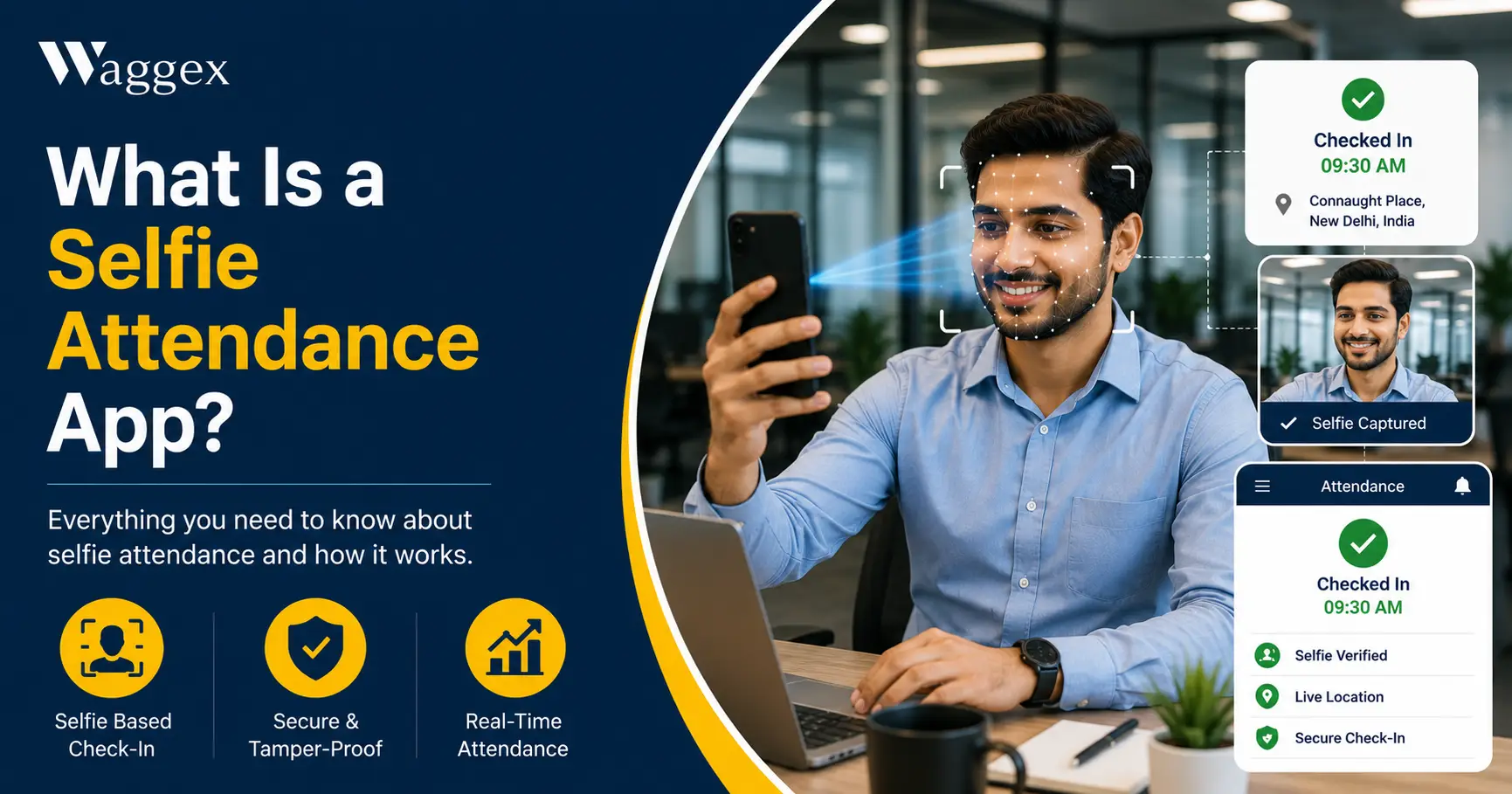
If you’ve never heard the term before, “selfie attendance” probably sounds like a gimmick between a social media feature and an actual business tool. It isn’t. It’s one of the more practical shifts in how Indian businesses are tracking who showed up for work, and once you understand how it actually works, it makes a lot of sense.
In short: a selfie attendance app uses the front camera on an employee’s own smartphone to verify their identity at check-in, instead of a fingerprint scanner, an ID card, or a paper register. No separate hardware. No installation. The phone your employee already owns becomes the attendance device.
This article explains what a selfie attendance app actually does, how the technology works behind the scenes, and where it fits honestly, including where it doesn’t. We’ll also walk through Waggex’s FaceLens feature specifically, since it’s a good example of how this is implemented properly.
What Is a Selfie Attendance App?
A selfie attendance app is mobile software that verifies an employee’s identity through facial recognition at check-in and check-out, using the front-facing camera on their own phone. The employee opens the app, taps a button, takes a quick selfie, and the system confirms it’s them before logging the attendance record.
It’s worth distinguishing this from two things it sometimes gets confused with. It’s not the same as just taking a photo at check-in for a manager to manually review later that’s photo capture, and it relies on a human checking every image, which doesn’t scale. And it’s not the same as a biometric device mounted at an office entrance that requires hardware, a fixed location, and ongoing maintenance. Selfie attendance, done properly, is automated face verification on a device the employee already carries.
Most selfie attendance apps combine this with GPS location data so the check-in confirms both who the person is and where they are. We covered the GPS half of this in detail in our guide to GPS attendance tracking for field employees; this article focuses specifically on the face verification side.
Why Selfie Attendance Exists in the First Place
To understand why this technology caught on, it helps to look at the problems it was built to solve.
The Biometric Device Problem
Fingerprint and biometric machines work well in a single, fixed office. But they cost money typically ₹4,500 to ₹28,000 per device depending on whether it’s a basic fingerprint reader or a face-recognition kiosk and that’s before installation and annual maintenance contracts, which usually run 8 to 12 percent of the device cost every year. For a business with more than one office or warehouse, that’s a device and a recurring cost for every location.
Beyond the cost, fingerprint sensors fail more often than people expect dry skin, cuts, dust, grease, or simply wet hands can cause a valid fingerprint to be rejected. And a device bolted to a wall is completely useless for anyone who doesn’t physically walk past it: delivery staff, field sales teams, service technicians, remote employees.
The Proxy Attendance Problem
Paper registers, swipe cards, and shared PINs all have the same weakness they can be used by someone other than the actual employee. A colleague signs the register on your behalf. A swipe card gets handed to whoever’s walking in first. This is commonly called buddy punching, and it’s more widespread than most managers assume it quietly inflates payroll costs over time because attendance records show people as present who weren’t actually there.
The Fake Location Problem
As GPS-based mobile attendance became common, a new workaround appeared just as quickly: free “mock location” apps on Android that let someone report a fake GPS position from their phone meaning an employee could appear to check in from a client site while actually still at home. We go into this in more depth in how to prevent fake attendance in the workplace, but the short version is: GPS alone confirms a location, not a person. Selfie verification closes that specific gap.
| The core idea behind selfie attendance: Instead of trusting a card, a PIN, or a fingerprint that can be shared or spoofed, the system checks the one thing that’s genuinely hard to fake convincingly in real time the actual face of the person checking in, matched against a registered photo, verified by a server rather than just trusted from the device. |
How Selfie Attendance Actually Works, Step by Step
Here’s the practical mechanism behind it what happens technically when an employee checks in:
- Face registration (one-time setup). When an employee joins, HR captures a clear photo of their face through the app; this becomes the reference image the system will compare future check-ins against. This takes about two minutes per employee.
- Employee opens the app and taps check-in. No browsing through menus is designed to be a one-tap action so it doesn’t become a daily hassle.
- The front camera captures a live selfie. Not a stored photo, a live capture, taken at that moment. Good systems include liveness detection, which checks for natural movement, blinking, or depth cues to confirm a real person is in front of the camera rather than a printed photo or a photo on another screen.
- The image is sent to a server for comparison. This is the part that matters most for reliability. The selfie is matched against the registered reference photo using facial recognition comparing facial geometry, not just a pixel-level image match. This processing happens on the server, not on the phone, which means it can’t be bypassed by modifying the app or the device.
- If it matches, the attendance record is created. Along with the timestamp, most systems also log the GPS location at that moment confirming both identity and location together, in the same step.
- If it doesn’t match, the check-in is rejected. The employee gets an error and has to try again. The attendance record simply isn’t created; there’s no manual review queue where a failed match might quietly get approved by someone in a hurry.
The entire process, from opening the app to a confirmed check-in, typically takes under 15 seconds. That speed matters if checking in is slow or fiddly, employees look for shortcuts, which defeats the purpose.
How Waggex’s FaceLens Feature Works
FaceLens is Waggex’s selfie attendance feature, and it follows the process above with a couple of specific design choices worth explaining.
The Phone Camera Replaces the Biometric Device Entirely
The starting point for FaceLens was a simple observation: most Indian businesses already give every employee a smartphone with a perfectly capable front camera. Buying a separate biometric device to do the same job confirm who someone is is redundant hardware spend. FaceLens uses the camera that’s already there. No installation, no wiring, no device that needs replacing in three years.
Verification Happens Server-Side, Not on the Device
Every FaceLens check-in is verified against Waggex’s servers in real time, over a standard mobile data or Wi-Fi connection. This matters for a specific reason: a check-in that’s validated only on the phone can potentially be manipulated by someone who knows how to modify app data or device settings. By running the match on the server comparing the live selfie against the registered photo stored securely in Waggex’s system there’s no local shortcut that bypasses the check.
GPS and Face Verification Happen Together
FaceLens doesn’t work in isolation; it’s paired with Waggex’s Geo-Location Attendance, so a single check-in confirms both who the employee is and where they are, at the same moment. For a field employee, this means a delivery executive or service technician can check in directly from a client site, with both the location and their identity verified before the record is accepted, no commute back to an office, no biometric device to find.
Attendance Flows Directly Into Payroll
A verified FaceLens check-in isn’t just a log entry; it feeds directly into the employee’s working-days count, which feeds into payroll. There’s no export step, no spreadsheet someone reconciles before the salary run. PF, ESI, TDS, and Professional Tax calculate from the same verified attendance data. This connection is covered in more depth in our piece on HRMS vs payroll software, but the short version here: attendance that doesn’t connect to payroll still leaves a manual step somewhere, and that’s exactly the step FaceLens removes.
| What this looks like for a real business: A field sales executive starting her day from her first client visit in Faridabad opens the Waggex app, takes a selfie, and her attendance is recorded face verified, location confirmed before her first meeting starts. No phone call to the office. No WhatsApp message to a manager. It’s already in the system. |
Where Selfie Attendance Has Real Limitations
To stay honest about this, it’s worth covering where selfie attendance genuinely has constraints because no technology solves every situation perfectly.
- It needs a network connection to verify. Because the face match happens on a server, the check-in requires an active data or Wi-Fi connection at the moment of check-in. In areas with very poor connectivity, this can occasionally cause a delay until signal is available. This is, on balance, a worthwhile trade-off server-side verification is what makes the check-in trustworthy in the first place but it’s a real characteristic worth knowing about.
- It assumes the employee has a smartphone. For workforces where personal phones aren’t permitted on the floor, certain secure facilities, clean rooms, some factory environments, selfie attendance isn’t the right fit, and a fixed biometric device or kiosk makes more sense.
- Lighting and camera quality affect accuracy. A very poor front camera in low light can occasionally produce an unclear image. Good systems handle this with a retry prompt rather than a false rejection, but it’s a real-world factor worth testing during rollout, not just in a demo.
- It requires a one-time registration step. Every employee needs their face registered before they can use the system. For a large existing workforce, this is a manageable but real onboarding task usually a couple of minutes per person, but it adds up across a few hundred employees in week one.
None of these are reasons to avoid selfie attendance they’re just the practical realities worth planning around, particularly the network requirement and the registration step.
Selfie Attendance vs Biometric Devices Side by Side
We’ve written a full comparison of these two approaches in Biometric vs Selfie Attendance: Which System Is Right for Your Business in 2026, but here’s the short version.
| Biometric Device | Selfie Attendance (FaceLens) | |
|---|---|---|
| Hardware cost | ₹4,500–₹28,000 per device | ₹0 uses employee’s own phone |
| Works for field employees | No fixed location only | Yes from anywhere with network |
| Installation | Wiring, mounting, setup | Download app, register face done |
| Hygiene | Shared touch surface | No shared surface |
| Maintenance | AMC, 8–12% of cost yearly | None software updates automatically |
| Multi-location use | Buy a device per site | Same app, every location |
| Location verification | No device is fixed | Yes GPS + face in one check-in |
Biometric devices still make sense in specific situations: high-security facilities, large single-location offices with no field staff, or environments where personal phones aren’t allowed. For most distributed Indian workforces in 2026, though, the flexibility gap is hard to ignore.
Who Selfie Attendance Actually Makes Sense For
- Businesses with field employees. Delivery teams, field sales, service technicians, anyone who doesn’t pass a fixed office location daily needs a way to mark attendance from wherever they are. Selfie attendance, paired with GPS, is built for exactly this.
- Businesses with multiple locations. Instead of buying and maintaining a biometric device per site, one app works everywhere.
- Businesses concerned about proxy attendance. Face verification is significantly harder to share or spoof than a card, PIN, or fingerprint that’s been compromised in some way.
- Businesses wanting attendance connected to payroll. If the goal is removing manual reconciliation between attendance and salary processing, a system where selfie check-ins feed directly into payroll is the practical fit.
- Businesses in hygiene-sensitive environments. Healthcare, food processing, and any setting where a shared touch surface is a genuine concern benefit from a touchless verification method.
The Bottom Line
A selfie attendance app isn’t a gimmick, it’s a practical answer to a specific set of problems that fixed biometric hardware and paper registers simply can’t solve: distributed teams, proxy attendance, hygiene concerns, and the operational cost of maintaining hardware across multiple locations.
The technology itself is straightforward once you see how it works: a registered reference photo, a live selfie at check-in, a server-side comparison, and an attendance record that’s created only when identity is confirmed. Done properly with server-side verification and GPS paired alongside it, it’s a meaningfully more reliable system than what most small and mid-sized Indian businesses are currently using.
If you want to see how this works with your own team, Waggex’s free trial includes full access to FaceLens, GPS attendance, and the connected payroll system with no credit card required. Most businesses have their first verified check-ins running the same day they sign up.