If your entire team works the same 9-to-6 hours, shift management probably isn’t something you think about much. But the moment you have a hospital ward that needs coverage at 2 AM, a factory floor that can’t shut down, a restaurant that runs two distinct service windows, or a call centre that handles queries across time zones, shift management becomes one of the most operationally complex things HR deals with every month.
The problems aren’t just logistical. A shift mix-up means a floor is short-staffed. A missed overtime calculation means an employee is underpaid and knows it. A rotation schedule delivered by WhatsApp at 9 PM on a Sunday means someone either sees it or doesn’t, and if they don’t, nobody finds out until 6 AM Monday.
This guide covers what shift management actually involves, why it’s harder than it looks when done manually, the different shift types Indian businesses run, and how Waggex’s Shift Management module handles it in a way that connects directly to attendance and payroll without someone manually bridging the gap every month.
What Shift Management Actually Means
People tend to think of shift management as just making a schedule deciding who works when. But the scheduling is actually the easy part. What makes shift management genuinely complex is everything that flows from it:
- Grace periods and late marks. If the morning shift starts at 6 AM and an employee arrives at 6:12, is that a late mark? Is there a 10-minute grace window? What if it’s 6:22? Every shift needs defined rules, and those rules need to apply automatically and not be decided case by case by a supervisor.
- Overtime detection. If the evening shift ends at 10 PM and an employee works until 11:15 PM, that’s 75 minutes of overtime. Somebody needs to catch that, calculate it at the right rate, and feed it into payroll. In a manual system, that either requires a supervisor’s note or it gets missed entirely.
- Compensatory offs. An employee who works on their scheduled weekly off earns a comp-off. Tracking which employees earned comp-offs, when they were taken, and whether they expired is its own small HR task multiplied across the whole team every month.
- Shift allowances. Night shift workers typically receive a shift allowance on top of their base salary. If the payroll system doesn’t know which days an employee worked the night shift, that allowance has to be calculated and entered manually.
- Leave during a rotation. When an employee on a rotating shift takes leave, the system needs to know which shift they would have worked on those days to correctly calculate LOP, not just mark a generic absent.
- Swaps and last-minute changes. Employees swap shifts. Someone calls in sick and someone else covers. The schedule changes, but the payroll still needs to reflect who actually worked which hours.
All of this, multiplied across 30 or 50 or 150 employees, for 26 working days a month, is why shift management on a spreadsheet eventually becomes a job in itself rather than a side task.
Types of Shifts Indian Businesses Actually Use
Different industries run very different shift patterns. Understanding which type you’re dealing with is the first step to managing it properly.
| Shift Type | Typical Hours | Common Industries | What HR Needs to Manage |
|---|---|---|---|
| Fixed / General | 9 AM – 6 PM | Offices, IT, schools, retail | Late marks, grace periods, early departures |
| Morning (A shift) | 6 AM – 2 PM | Factories, hospitals, security | Overtime if extended, transition with next shift |
| Afternoon (B shift) | 2 PM – 10 PM | Manufacturing, BPOs, hotels | Shift allowance, transport, late attendance |
| Night (C shift) | 10 PM – 6 AM | Hospitals, factories, data centres | Night shift allowance, compensatory off, health compliance |
| Rotating shifts | Cycles between A/B/C | Manufacturing, healthcare, security | Monthly rotation schedule, overtime tracking across cycles |
| Split shift | Two separate windows | Restaurants, delivery, retail | Gap period handling, total hours vs break time |
| Flexi-time | Core hours fixed, rest flexible | IT, startups, remote teams | Core presence tracking, total weekly hours |
| On-call / as-needed | Variable | IT support, field service, security | Call-out tracking, compensatory off, standby pay |
The Most Common Shift Management Problems and Why They Happen
The schedule exists somewhere no one can find
This is more common than it sounds. The shift roster lives in a supervisor’s personal Excel file, or in a WhatsApp message sent three weeks ago, or pinned to a noticeboard in the break room. An employee who needs to know their shift for next week has to physically locate someone to ask. That’s a people problem caused by a systems gap.
Overtime is invisible until payroll day
In a manual system, overtime is discovered rather than tracked. HR goes through supervisor notes, biometric exports, and attendance sheets at month end, trying to reconstruct who worked beyond their shift and by how much. It’s retrospective, it’s incomplete, and it creates disputes when employees remember working late more times than the record shows.
Night shift allowance falls through the cracks
A factory worker on the C shift earns a night allowance. If HR is pulling attendance from one source and salary structure from another, and the shift data isn’t cleanly passed between them, the allowance either has to be manually calculated per employee or it gets missed. Either way, someone is doing manual work or someone is being underpaid.
Comp-offs become a running dispute
When comp-offs are tracked informally supervisor mentions it, employee notes it down, HR tries to reconcile at month end the numbers rarely match. An employee who worked four Sundays and took two comp-offs believes they have two left. HR’s record says one. Neither person is necessarily wrong. The problem is the tracking system, not the people. This connects directly to how leave management and payroll need to be in the same system.
Rotation schedules arrive late or inconsistently
Employees on rotating shifts need to know their next cycle early enough to plan around it. When does their spouse need to manage the school drop? Can they book the late-night auto, or do they need to arrange something else? Is someone at home to help on the nights they’re working? These are real, everyday things that people need to sort out in advance.
When the rotation schedule comes out on Friday for a Monday start or lands on WhatsApp at different times to different people, with some seeing it late at night and others not at all the frustration isn’t really about the schedule itself. It’s about feeling like an afterthought. Like the company made its plan and just forgot that employees have lives to arrange around it.
How Waggex Handles Shift Management
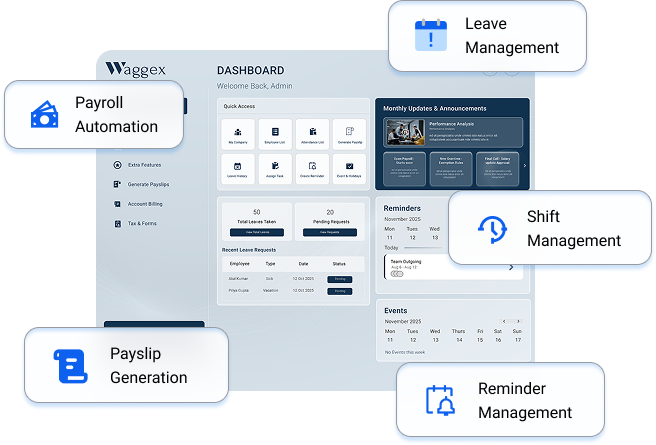
We built Waggex’s Shift Management module to solve the specific problems described above not just to create a schedule, but to make sure everything that flows from the schedule (attendance, overtime, comp-offs, allowances, payroll) flows automatically rather than manually.
Define Shifts Once, Apply Automatically
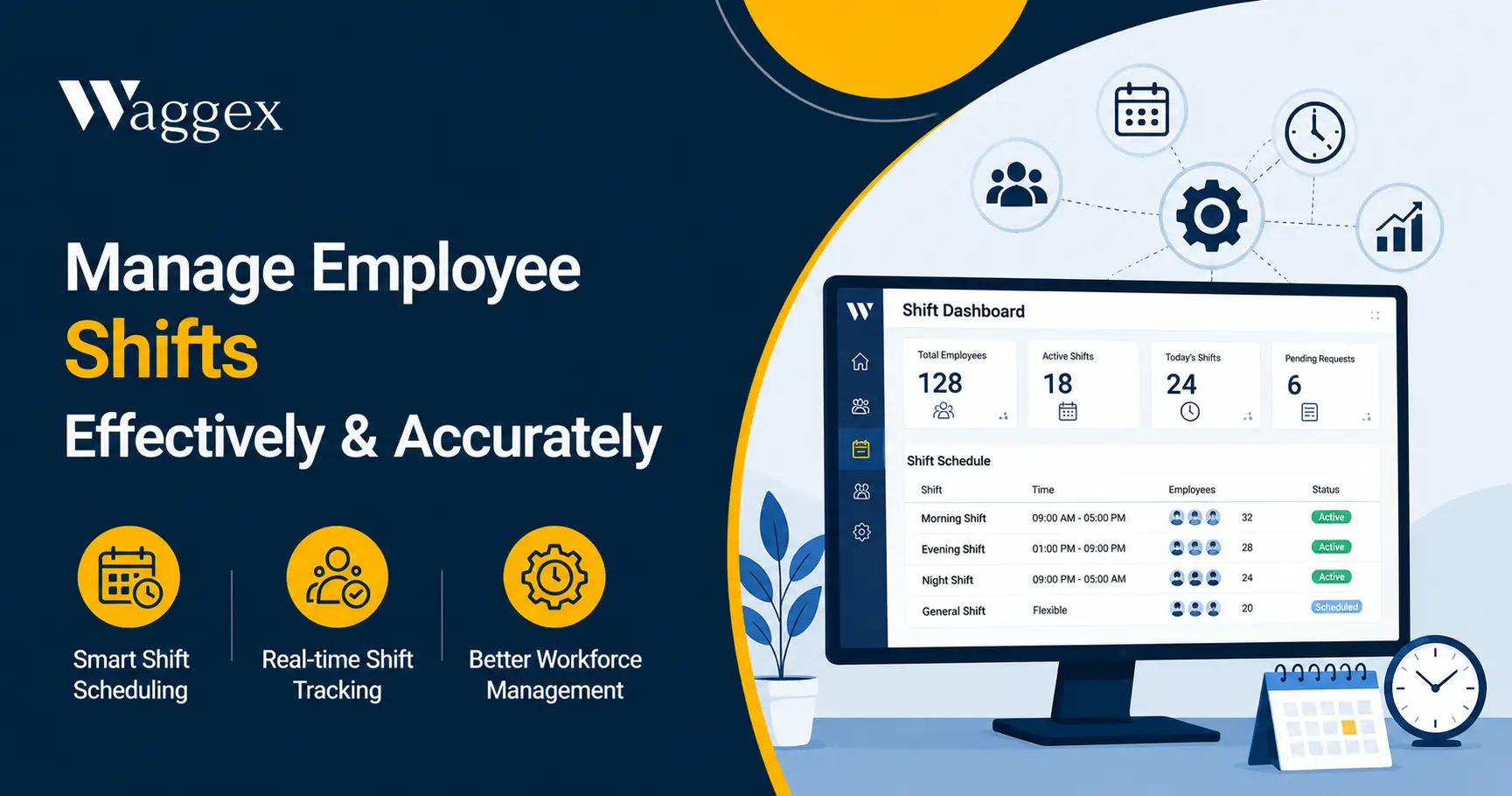
You set up each shift in the Waggex dashboard start time, end time, grace period, overtime threshold, applicable allowances. For a rotating schedule, you configure the rotation cycle: which shift an employee is on this week, which they move to next week, and so on. Once that’s set, the system assigns shifts automatically each cycle. No one needs to manually update who’s on which shift each week.
Every Employee Knows Their Shift
Employees can see their current and upcoming shift assignments through the Waggex Staff Attendance App the same app they use for GPS attendance check-in and checking their leave balance. No phone calls to HR, no checking a noticeboard, no waiting for a WhatsApp message. Their schedule is always visible, always current.
Late Marks and Grace Periods Apply Automatically
When an employee checks in after the shift’s grace period ends, the late mark is applied automatically based on the shift rules; no supervisor needs to report it to HR. The same applies to early departures. The system knows what the rules are for each shift and applies them consistently, which removes the subjectivity that often causes disputes.
Overtime Is Caught, Not Discovered
If an employee’s check-out is logged after their shift’s overtime threshold, the system flags it immediately rather than waiting for HR to spot it at month end. That overtime flows into the payroll calculation automatically at the correct rate for that shift type, without anyone calculating it separately.
Comp-offs and Shift Allowances in the Same System
When an employee works on their weekly off, the comp-off is credited in the system. The employee can see it. When they want to take it, they apply through the app and the manager approves. There’s no separate tracking sheet, no end-of-month reconciliation, no “I thought I had three comp-offs” conversation.
Night shift allowances are calculated from the verified attendance data if the system can see which shift an employee worked based on their check-in time, it knows which allowance applies, and it adds it to the salary calculation automatically.
Connected to Attendance and Payroll
This is the part that saves the most time. Shift data, attendance data, leave data, and payroll all live in the same system. When the monthly payroll run happens, working days, late marks, overtime, LOP, shift allowances, and comp-off adjustments are all already in the calculation because they’ve been captured in real time throughout the month. Nobody is manually pulling four sources together at 11 PM before salary day. We’ve written more about why this connection matters in Best Payroll with Attendance System in India.
| What this looks like for a real team: A hospital in Chandigarh runs three shift rotations across 80 nursing and support staff. Before Waggex, the HR manager spent the first three days of every month reconciling shift records, calculating night allowances, and manually checking who had earned comp-offs. After implementing Waggex, those three days became three hours because the data had been accumulating correctly throughout the month, rather than needing to be reconstructed from scratch. |
Manual Shift Management vs Waggex Side by Side
Here’s what the same eight situations look like with and without a connected shift management system.
| Scenario | Managing Manually | With Waggex Shift Management |
|---|---|---|
| Assigning next month’s rotation | HR builds Excel roster, WhatsApps each person | Set rotation in dashboard once, auto-assigns each cycle |
| Employee checks their shift | Calls HR or checks a WhatsApp message | Opens the app shift visible instantly |
| Someone swaps shifts with a colleague | HR manually updates the roster | Swap request raised in app, manager approves |
| Night shift allowance calculation | HR calculates per employee before payroll | Auto-calculated from verified attendance data |
| Overtime beyond scheduled hours | HR checks register, calculates manually | System detects check-out beyond shift end, flags OT |
| Late mark on morning shift | Supervisor reports to HR, HR updates spreadsheet | Auto-marked if check-in exceeds grace period |
| Comp-off after working on weekly off | HR tracks in a separate sheet | Earned in system, employee applies through app |
| Payroll at month end | HR reconciles 4 separate sources | Attendance + shift data → payroll auto-calculated |
Shift Management and Labour Law Compliance
Shift management isn’t just an operational choice it has legal dimensions worth knowing.
- Overtime limits. The Factories Act 1948 restricts adult workers to 48 hours per week and 9 hours per day. Overtime beyond this is permitted but must be compensated at double the ordinary rate. With the new Labour Codes coming into force in late 2025, these provisions are being updated check the state-specific notifications to confirm the current rules for your establishment type.
- Night shift provisions. Women employees working night shifts have specific protections under the Factories Act and various state Shops and Establishments Acts adequate lighting, transport, and safety provisions. If you’re scheduling women on night shifts, verify the specific requirements for your state.
- Weekly off requirement. Every worker is entitled to at least one full day off per week under most Indian labour laws. Compensatory off for working on the weekly off must be provided and documented.
- Digital record-keeping. Under the Occupational Safety, Health and Working Conditions Code (one of the four Labour Codes effective from 2025), shift registers and working hours records must be maintained digitally for most establishments. A well-maintained shift management system is also a compliance record.
For the full picture on what Indian payroll compliance requires, our Payroll Compliance in India: Complete Guide (2026) covers the current deadlines and record-keeping obligations.
How to Set Up Shift Management Whether You Use Software or Not
Whether you’re ready for software or still managing on spreadsheets, these steps make shift management work better:
- Document your shift structure first. Write down every shift type, its start and end times, the grace period, overtime threshold, and whether it has an allowance. If this doesn’t exist in writing anywhere, you can’t manage it consistently and you certainly can’t configure it in any software.
- Communicate schedules at least a week in advance. This isn’t just courtesy it reduces last-minute call-outs, no-shows, and the resentment that comes from feeling like a schedule afterthought. For rotating shifts, give the next month’s rotation out in the last week of the current month.
- Track comp-offs separately from leaves. In a spreadsheet system, keep a comp-off log who earned it, when, when it was taken, and when it expires. Mixing comp-offs into the general leave balance creates the end-of-month reconciliation disputes described earlier.
- Define overtime approval in advance. Does overtime require prior approval? Is there a cap per month per employee? Who authorises it? If the rules exist only in someone’s head, overtime becomes a conversation rather than a calculation.
- Connect shift data to payroll before you need it, not after. Every month of not connecting these is a month of manual reconciliation work and a month of potential errors. The sooner the shift record and the salary calculation share the same data, the fewer the disputes.
The Bottom Line
Shift management is one of those HR functions that feels manageable when you have 15 employees and becomes a real operational problem at 40. Not because the concept is complicated it isn’t but because the number of things that need to be tracked, calculated, and communicated grows faster than the team does.
The companies that handle shifts well aren’t necessarily using the most sophisticated software. They’re the ones where every employee knows their schedule in advance, overtime is tracked in real time rather than reconstructed at month end, comp-offs are in a system rather than in someone’s memory, and shift data flows directly into payroll without a manual step in between. That combination is what separates smooth monthly payroll from stressful ones.
If you’d like to see how shift management works connected to attendance and payroll in Waggex, our free trial gives you full access including the shift module, GPS attendance, leave management, and payroll no credit card required, setup in under a day.